

Natural Spawning
Boss eggs, /boss spawn, dispensers and the API spawn Bosses manually. Spawn rules do it for you.
Create one in /boss menu > Spawning > Create New and pick one of the 6 types below.
Every rule gets the same base conditions:
- Which Bosses it spawns, and its own delay
- Days of the week, months of the year
- Real-life hour and minute, using the
Timezonefrom settings.yml - Minecraft time and light level
- Requires rain, requires thunder
- A run chance from 0% to 100%
- An Enabled? toggle, so you can park a rule instead of deleting it
Each type adds its own options on top.
Tip
Set Debug to [spawning] in settings.yml to see why a rule did or did not fire.
1) On A Block At A Given Time
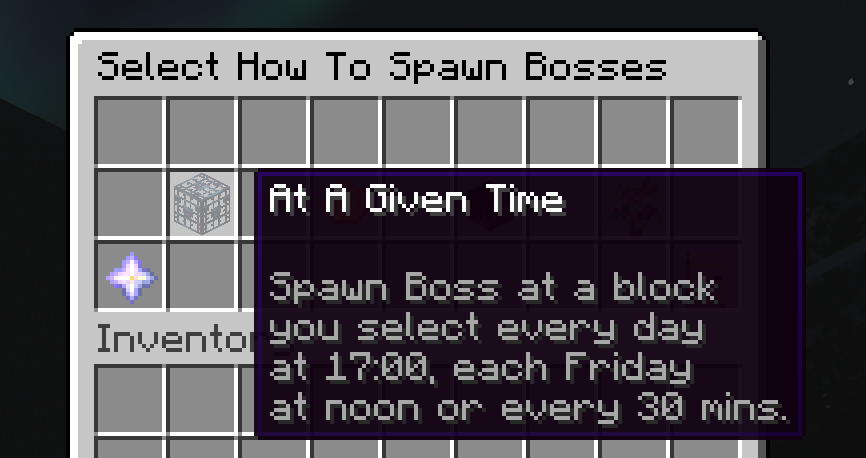
Spawns at locations you saved with /boss location, on a schedule. Every day at 17:00, each Friday at noon, every 30 minutes.
Adds Select Locations, Location Offset (randomize the exact block, off by default) and an exact Hour and Minute, where -1 means any.
The delay runs from the last successful spawn, so slow kills never postpone the schedule. If the Boss is still alive when the next spawn is due, the delay restarts from its death instead.
A location only spawns while a player is within 30 blocks. Change that with Spawning.Location_Spawn_Nearby_Player_Radius, or set it to -1 to drop the check. Respawn After Death and After A Kill Goal are exempt from it.
To load a scheduled location even when no player is nearby or online, add this to its file in spawnrules/ and run /boss reload:
Chunk_Load_Seconds: 10This option supports LOCATION_PERIOD and RESPAWN_AFTER_DEATH rules on modern Paper and its forks. It requires Spawning.Count_Unloaded_Bosses_In_Limits: true. Folia and older servers reject positive values; leaving the option out or setting it to 0 preserves the existing behavior.
Use an unquoted whole number from 0 through 300. After a successful spawn, Boss keeps the target chunk loaded for that many seconds of server ticks, then releases its own temporary ticket. Players, other plugins and server unload settings can keep the chunk loaded longer. A failed spawn releases its newly acquired ticket immediately. Other schedule conditions and spawning limits still apply.
Set the Boss's Custom_Settings.Despawn to false for a persistent mob. World limits count both loaded Bosses and the saved unloaded records; keep unloaded counting enabled and retain unloaded-bosses.yml. Loading the target also checks its saved entities before spawning, but it cannot recover missing records for unrelated chunks. The server must continue ticking for an empty server schedule to run.
2) On Entering A Region
Spawns when a player walks into one of your Boss regions.
Adds Regions, Select Locations and Max Bosses In Region.
The Boss appears at your saved locations, not on the player. Only regions made with /boss region work here. Max Bosses In Region counts this rule's Bosses already inside that region, and defaults to no limit.
3) Respawn After Death
Brings the Boss back a set delay after it dies. Survives restarts.
Adds Select Locations and Location Offset.
Only one Boss from the rule lives at a time. Put several Bosses in one rule and they share the delay, so the next one appears a cooldown after any of them dies.
4) Randomly Around Players
Spawns around players like vanilla mobs do. Your vanilla mobs stay untouched.
Adds Radius (5 to 80 blocks, default 30), a Height range, per-world chances and per-biome chances.
Bosses never appear closer than Spawning.Nearby_Spawn_Min_Distance_From_Player blocks (5 by default), and GriefPrevention claims are skipped.
5) Replacing Vanilla Mobs
A naturally spawning mob turns into your Boss instead. A Zombie Boss replaces zombies, a Skeleton Boss replaces skeletons.
Adds a Height range, per-world chances and per-biome chances on top of the rule's Run Chance.
Two settings.yml keys shape it:
Spawning.Ignore_Replacing_Vanilla_From— spawn causes that never get replaced. Default[COMMAND, CUSTOM, SLIME_SPLIT]Spawning.Cancel_Vanilla_If_Replace_Fails— kill the vanilla mob when the rule fails its conditions or limits. Off by default
6) After A Kill Goal
Spawns at your saved locations after players kill enough of your other Bosses.
| Button | Default | What it does |
|---|---|---|
| Counted Bosses | none | Which Bosses count towards the goal |
| Kill Goal | 100 | How many kills are needed |
| Kill Progress | 0 | The shared counter, click to reset it |
| Progress Message | &7Kills: &f{count}&7/&f{goal} | Actionbar message for the killer, or none to hide it |
The message takes {boss} (the Boss just killed), {count}, {goal} and {remaining}.
Only player kills count, so a Boss that burns to death adds nothing. Every player feeds one shared counter that survives restarts and resets when the goal Boss spawns. If the goal is hit but the spawn is blocked by a limit, the counter stays and retries on the next kill.
Warning
Spawn rule names must not contain underscores (_). Underscores break PlaceholderAPI placeholder parsing. See Naming Rules.
Regions
Randomly Around Players and Replacing Vanilla Mobs can be locked to regions from six sources: Boss's own regions, Residence, Factions, Towny, Lands and WorldGuard. Turn Regions Enabled? on inside the rule (off by default), pick your regions, then choose whitelist or blacklist.
On Entering A Region always has regions on and only reads Boss's own regions.
How to Create a Boss Region?
- Obtain a Region Tool via /boss tools
- Left click a block for the primary point, right click a block for the secondary point.
- Run
/boss region new <name>
The selection is visualized so you always know how big the region is. 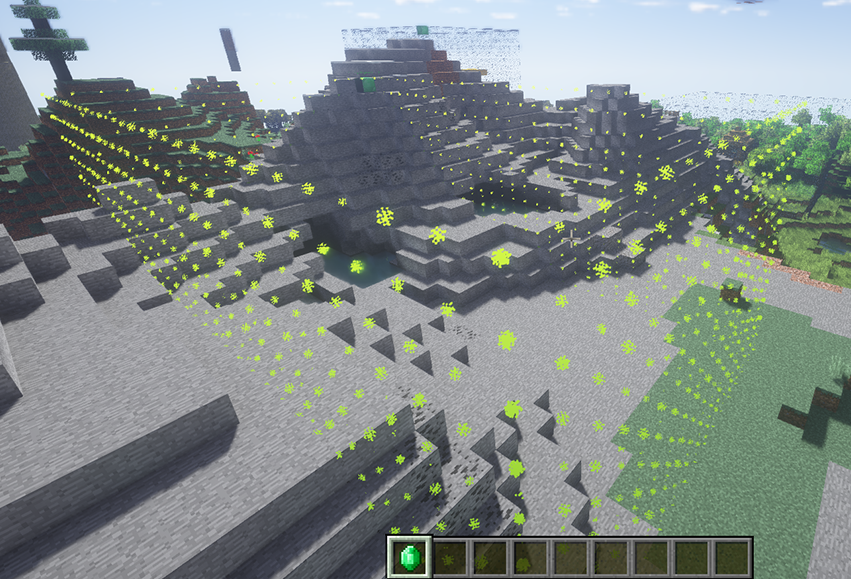
To keep a Boss inside the region it spawned in, and pick where it returns when it escapes, use Boss menu > Spawning > Region Keeping.