

Channels
Channels are chat rooms where players talk about different topics (for example standard channel, help-op channel, trade channel and admin channel). Players in different channels don't see each other's messages, reducing chat spam on large servers.
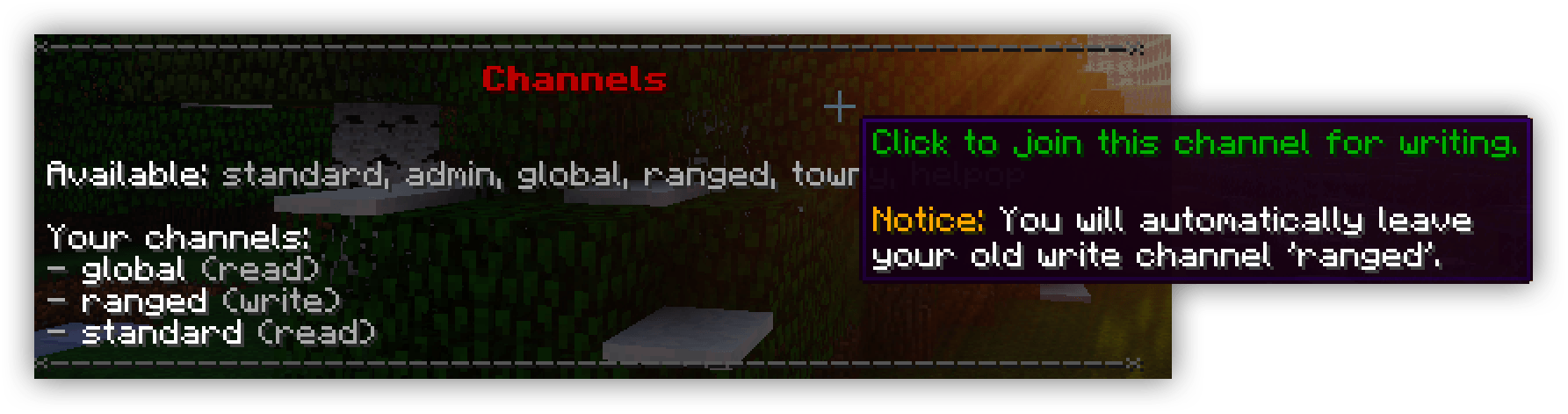
Warning
Channels are disabled by default. Enable them in the "Channels" section of settings.yml. You can also have just one channel for a classic single-chat setup (see below).
How Channels Work
Enable channels in the "Channels" section of settings.yml. Players can write in 1 channel at a time and read from multiple channels (limit configurable per Group).
Key features:
- Join_Read_Old: Auto-read a channel when you leave/switch it
- World exclusion: Disable channels on certain worlds (e.g., minigames)
- Ignore: Players don't see messages from ignored players; vanished players are hidden
- Mute: Mute a channel for a duration with optional reason
- Proxy & Discord: Full support via Proxy and Discord
Channel range types:
- Global — everyone on your server/network
- Blocks ranged — players within a distance
- World ranged — players on the same/connected worlds
- Party — faction/clan/party members (can also have block/world range). Set the
Partykey in the channel to one of the values listed in thePartycomment of theChannelssection in your settings.yml, such astowny-townorsimpleclans-clan. Over proxy, party messages only reach other servers when the party plugin shares its data across them (simpleclans-clanandsimpleclans-allywith SimpleClans on a shared MySQL database and itsuse-bungeecordoption enabled on every server); all other parties only reach players on the sender's server. See Compatibility for the SimpleClans caveat about servers that were empty when a clan changed.
Auto Join
Auto-join players to channels on login:
chatcontrol.channel.autojoin.{channel}.{mode} — auto-joins on login chatcontrol.channel.join.{channel}.{mode} — required for join to work
Replace {mode} with write or read.
For example, you need to give players chatcontrol.channel.autojoin.standard.write and chatcontrol.channel.join.standard.write to automatically join them to write to standard channel on join.
Warning
If players leave a channel, their preference is saved and auto-join won't re-join them. Remove chatcontrol.channel.leave.{channel} permission to prevent them from leaving.
Warning
Players need chatcontrol.channel.join.{channel}.{mode} permission to stay in channels. Without it, they'll be removed on reload/relogin.
Tip
Set Debug to [channels-join] in settings.yml to understand auto-join behavior.
Players Getting Kicked From Channels
We periodically check if players still have channel permissions. Ensure they have chatcontrol.channel.join.{channel}.{mode}. Keep Show_Tips on true in settings.yml to see console messages explaining removals.
Removing Messages
With PacketEvents installed, you can remove any chat message (including from Discord and proxy). See the delete part in formats/chat.yml. Removal now propagates reliably across proxy servers.
Single-Channel Setup (No Channels)
To have one chat everywhere (like ChatControl Pro), watch this tutorial:
Special Character Prefix for Channels
Use rules in rules/chat.rs to let players prepend messages with a character to send to another channel:
# Forward any message starting with ! to proxy channel
match ^(\!)(.+)
then command ch send proxy $2
strip colors false
strip accents false
dont verbose
then deny

# Forward any message starting with . to admin channel
match ^(\.)(.+)
then command ch send admin $2
strip colors false
strip accents false
dont verbose
then deny
Channel Toggle Command
If you'd like to let players toggle between a channel, for example by doing "/admin toggle" they will join/leave the admin channel, you can achieve this using rules in rules/commands.rs:
# This rule only executes when player is not in the admin channel for reading.
match ^(\/admin toggle)
dont verbose
ignore channel admin write
then command channel join admin write
then deny

# This rule only executes when player is in the admin channel for writing.
match ^(\/admin toggle)
dont verbose
require channel admin write
then command channel join standard write
then deny
Custom Channel Commands
Using Rules you can create commands to send messages to specific channels. For example, typing "!hello everyone" would send this message to "global" channel even if the sender is writing to "standard" channel:
# Send messages starting with "!" to global channel
match ^(\!)(.*)
then command channel send global $2
then deny
dont verbose
You can also create custom commands like /helpop. Place this in rules/commands.rs:
# Catch "/helpop" command and send usage.
match ^/helpop$
dont verbose
then warn &cDescription: Send a message to online staff members.
then warn &cUsage: /helpop <message>
then deny

# Catch "/helpop <message>" and redirect to the helpop channel.
match ^(/helpop) (.*)
dont verbose
then command channel send helpop $2
then deny
Auto-Switch on Region Enter/Leave
You can have ChatControl move a player into a different channel automatically when they walk into or out of a region. Configure it under your channel entry in settings.yml — set the region name and which channel to switch to on enter and on leave. Useful for arena chat, spawn chat, or staff zones.
Creating Channels
Add channels in the Channels.List section of settings.yml. Each key creates a new channel. Only configure options you need.
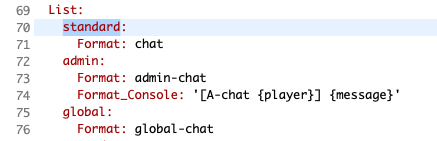
For all available options, see the comments inside settings.yml under Channels.List.