

JavaScript Variables
ChatControl supports dynamic JavaScript variables you can create and use across the plugin (chat formatting, death messages, etc.). Variables are stored as individual .yml files in the variables/ folder.
Beyond displaying information, variables can execute any JavaScript code — send sounds, spawn entities, etc.
Variable Types
There are two variable types, which have different syntax and can be used at different places:
Note
You cannot change the syntax, either use {name} or [name] depending on the type:
Format variables: Used in formats/ folder, you can place them into your Formats using the {name} syntax, such as {player}.
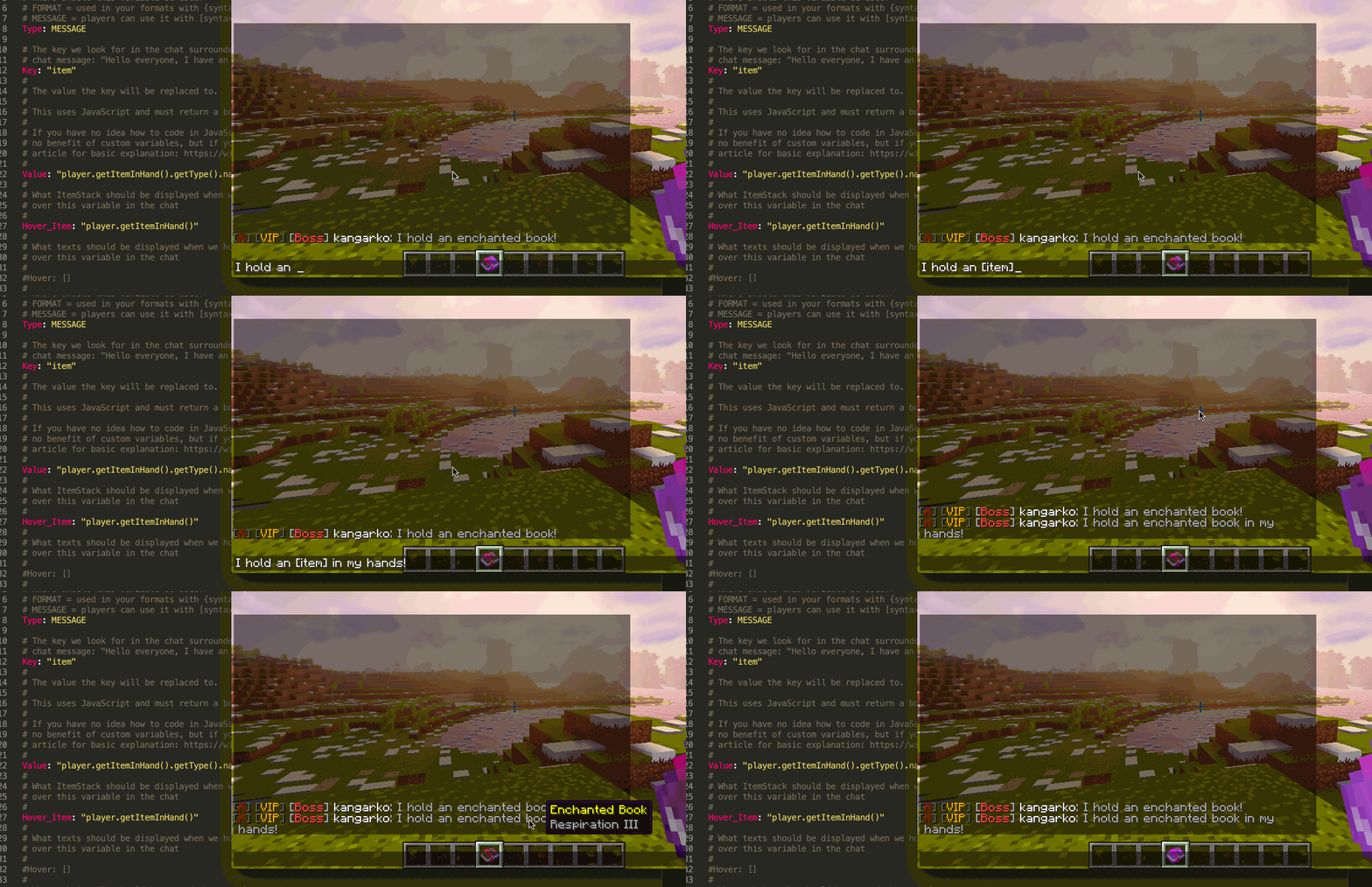
Message variables: Used by players in chat by [name] syntax. Such as players can write "I hold an [item]" and the item is your custom variable that will actually show the item they hold!
You can use "/chc info variable" to test format variables in a demo message.
Requirements
Basic Java/Bukkit API knowledge and JavaScript fundamentals are recommended. In your variables, use the player variable to get the Bukkit Player class.
JavaScript for Java references:
Preventing Abuse
Limit variable usage (e.g., typing [item] too many times) by adding a rule to rules/chat.rs:
match (\[item\])\s*(?:\1\s*)+
then warn &cCannot use the item variable more then once per message.
then deny
Setting Up And An Example
Each variable lives in its own file in the variables/ folder. Here's the default [item] variable that shows the item the player is holding:
Type: MESSAGE
Key: "item"
Value: "player.getItemInHand().getType()"
Hover_Item: "player.getItemInHand()"
The first mandatory key is "Type" — either "FORMAT" or "MESSAGE" (see above).
The second is "Key" — the variable name without {} or [] brackets (added automatically by type).
The third is "Value" — JavaScript code returning the replacement text.
Testing Variables
Use "/chc info script" command in-game to test your javascript variables. It will parse them for you and tell you if they return properly (i.e. if they return a valid boolean, etc.).
Multiline Variables
To put a text on multiple lines, simply prefix it with |- and then type on multiple lines after that. Example:
Value: |-
       &cThis text will
       &cshow on multiple
       &clines &6easily
Using variables from PlaceholderAPI in your custom variable
Here is an example on how you can combine other plugins' variables to mix up your own variable depending on another variable's output!
Value: |-
  getTagOrPrefix(); // call the function below that returns the tag or prefix

  function getTagOrPrefix() {
      // replace with the tag
      var tag = "{deluxetags_identifier}";

      // if the tag is empty, return prefix, else return tag with [] around it.
      return tag == "" ? "{pl_prefix}" : "[" + tag + "]";
  }
Accessing NMS Easily
Value: |-
  // acts if as you were inside of CraftPlayer class, so NMS is directly available
  player.getHandle().ping
The player variable is a CraftPlayer instance, so you can access NMS internals without specifying version-specific package names.
Troubleshooting
If you use boolean conditions (is true/false) then be careful, you have to use the fully explicit '== "false"' operator.
This is caused due to JavaScript returning an empty string when the sender is null (such as Discord/console/offline player) because the variable cannot be parsed at all, whereas if the sender is player, then we properly parse the variable and return false.
Consider this example:
Sender_Condition: '{sender_is_player} && {luckperms_has_groups_on_track_staff}'
Sender_Condition: '{sender_is_player} && "{luckperms_has_groups_on_track_staff}" == "true"'
The first line will throw an exception if luckperms variable cannot be parsed (such as when you are writing to Minecraft chat from Discord) because there is no Player object. If there is a Player, it will get parsed and either return "true" or "false".
The other line will work fine, in this case it will assume empty strings are false and only return true if the returning variable is indeed "true".
Available Options
Besides the three mandatory keys (Type, Key, Value), you can add the following options:
Sender_Condition
Description: What JavaScript condition must return true for this variable to show? You can put variables in here to get replaced.
Return value: true or false
Example: "player.getHealth() < 20"
Example 2: "{player_vanished}"
Sender_Permission
Description: What permission must the message sender have in order for this variable to display to him?
Return value: String
Example: "my.example.permission"
Hover
Description: What text or texts should display when we hover the mouse over this variable in the chat?
Return value: String or array of Strings
Example: "Hello World"
Another example: |-
                 Hello this is a multi-line
                 text that will show on two lines!
Hover_Item
Description: What item should be displayed when we hover the mouse over this variable in the chat?
Return value: Bukkit ItemStack class
Example: "player.getItemInHand()"
Open_Url
Description: What website should be opened when we click the mouse on this variable?
Return value: String
Example: "https://mineacademy.org"
Suggest_Command
Description: What command should appear in the player's command box when we click the mouse on this variable?
Return value: String
Example: "tell kangarko Hello there!"
Run_Command
Description: What command should run as the sender when he clicks the mouse on this variable? Minecraft only supports 1 command!
Return value: String
Example: "tell {player} Hello there!"