

Spy
Spying allows to see messages, commands, private messages, books, renamed items and more from other players on your entire network. Talking about privacy rights!
If you miss spying while you're offline, don't worry, you can always view what happened in game using "/chc log", see Logs.
Never Be Spied On
Give yourself "chatcontrol.bypass.spy" permission to ensure your actions are never spied on.
Spying Sections
You can control where you want spying enabled by configuring Apply_On in Spy section of settings. We can spy:
- chat
- commands (with optional whitelist or blacklist)
- private messages
- mails
- signs
- books
- items renamed on anvil
Toggle Spying
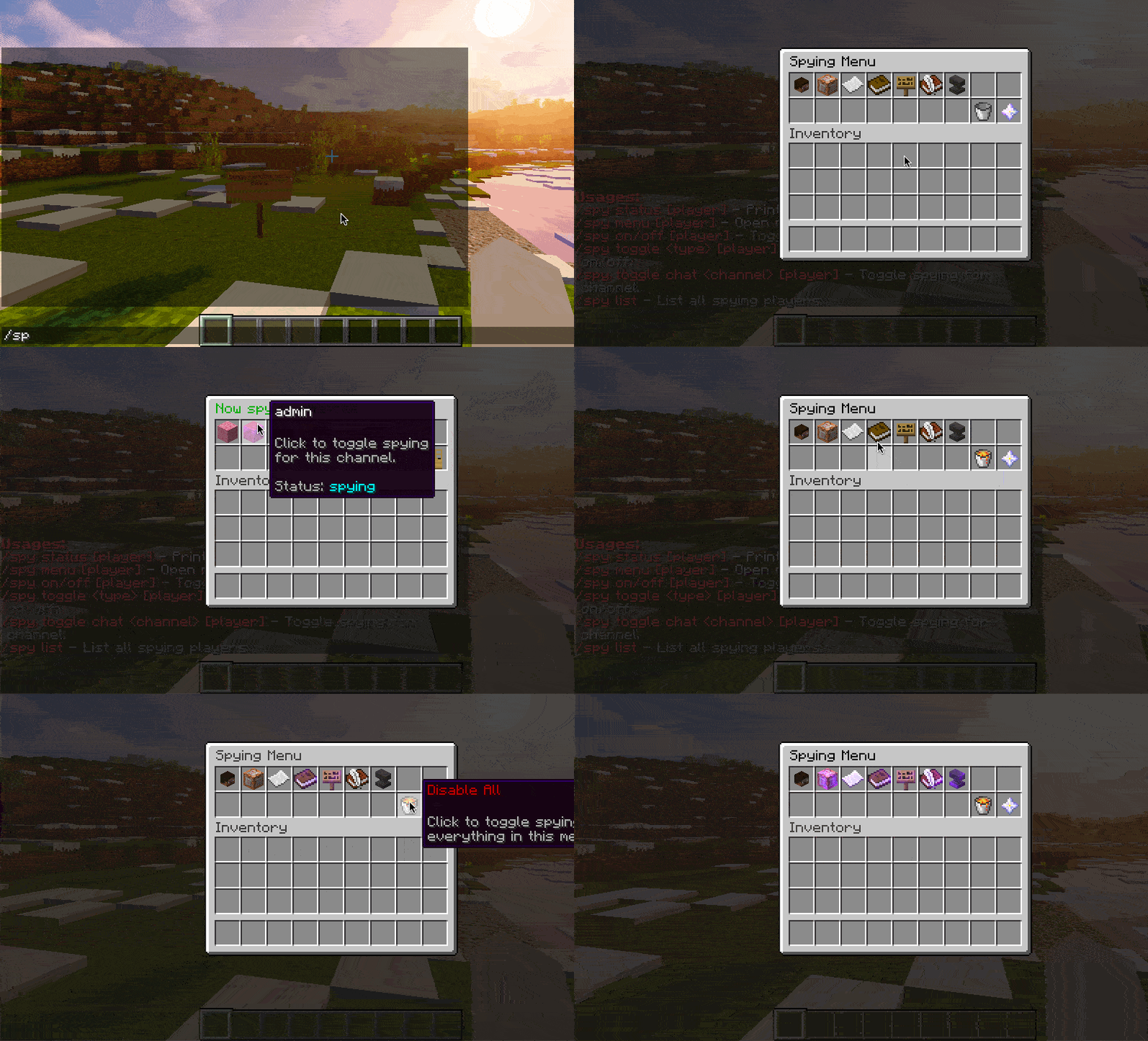
Give yourself "chatcontrol.command.spy" permission and type "/spy on" or use "/spy menu" to perform the same action.
Spy Commands
/spy on
Enable all spying.
/spy off
Disable spying everything.
/spy status
Tells if a player is spying, what he is spying or not.
/spy menu
Enable or disable spying by clicking buttons frantically.
/spy toggle
Enable or disable only spying certain parts of plugin such as mails, or certain chat channels, for player.
Silent mode
Add -s or -silent to /spy on, /spy off or /spy toggle to skip the confirmation message, which is handy when a menu plugin runs the command for the player. Errors still show.
Automatically Toggle Spying
Give staff "chatcontrol.spy.autoenable" permission to automatically enable spying for them on join.
The auto-enable runs only on the player's first login. After that, whatever the player configures via /spy menu, /spy toggle or /spy off is remembered across logins and is never overwritten. This lets each staff member curate which sections they want to spy on without having to re-disable them every time they join.