

Formats
Formats control how chat messages look. Create unlimited styles in the formats/ folder and use them across the plugin — not just chat.
Formats support interactive elements (hover, click) so you can build help menus, clickable links, and more.
Placeholders
Supports PlaceholderAPI and built-in variables. Players can use placeholders like [item] in chat.
See Variables.
How Formats Work
Each format is a file in formats/. The filename is the format name (e.g., "pm-sender" can be referenced elsewhere). Each format has unlimited parts, each with its own settings (hover text, click action, etc.).
Creating a Format
See formats/chat.yml for a full example. Here's a minimal format (first-format.yml):
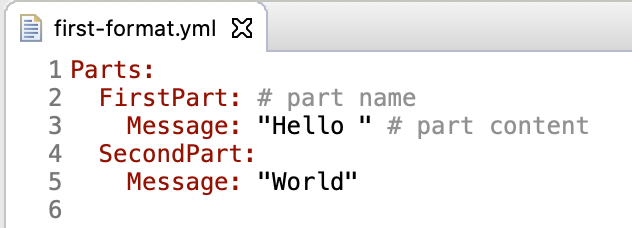
Now use this format elsewhere (e.g., in Channels by setting Format: first-format). Here's a more practical chat format:
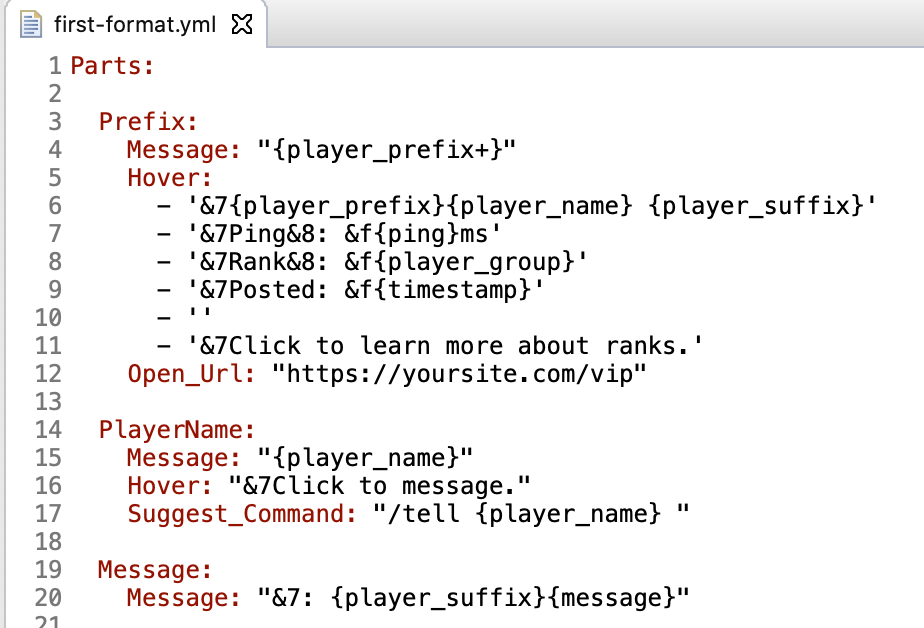
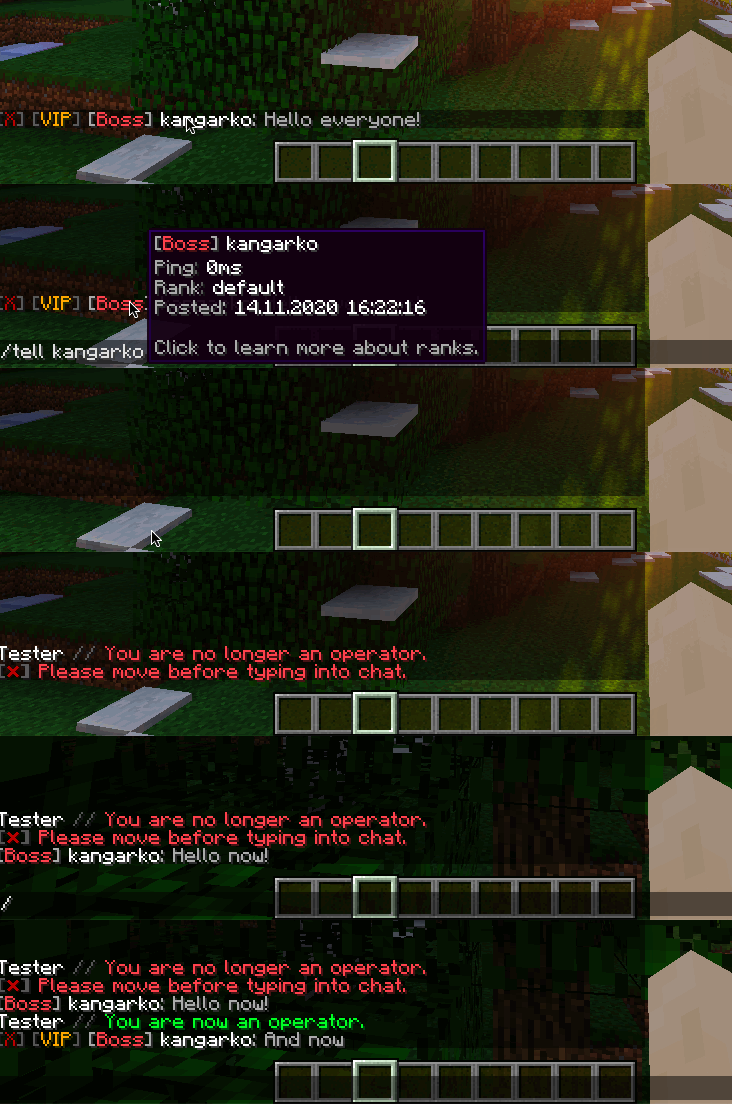
This format has three parts: Prefix (with hover/click URL), PlayerName (suggests /tell on click), and Message (suffix + chat text).
Part Options Reference
All options are optional except Message. See chat.yml for examples.
| Option | Description |
|---|---|
Message | (Required) The text this part prints |
Sender_Permission | Only show this part if sender has this permission. Prefix with ! to negate (e.g. !group.bot shows the part to everyone without that permission) |
Sender_Variable | Show part if sender's variable equals value. Syntax: {placeholder} value (prefix with ! to negate). Example: {player_gamemode} creative or {player_gamemode} !creative. Can also be a list of conditions where every entry must match, e.g. ["{channel} standard", "{sender_is_discord} false"] only shows the part for in-game senders in the standard channel |
Sender_Condition | JavaScript returning true/false. Uses player variable. See chat.yml for examples. Performance penalty. |
Receiver_Permission | Only show to receivers with this permission. Prefix with ! to negate. Supports {sender_name} and {channel_name}. See Variables for examples |
Receiver_Variable | Like Sender_Variable but checked per receiver. Takes a single condition (no list support). Supports {sender_name}, {channel_name}. See Variables for examples |
Receiver_Condition | JavaScript per receiver. Heavy performance penalty. Supports {sender_name}, {channel_name}. See Variables for examples |
Hover | List of texts shown on mouse hover. Supports ItemsAdder and Nexo font images (:name:). |
Hover_Item | JavaScript returning ItemStack (e.g., player.getItemInHand()) |
Open_Url | URL to open on click. Must be a valid URL, otherwise a console warning is printed and the part stays unclickable |
Suggest_Command | Command to put in chat input on click |
Run_Command | Command to run on click (runs as the receiver) |
Insertion | Text inserted on shift+click |
Copy_To_Clipboard | Text copied on click (1.16+) |
Inherit | Import another format from another file |
Inherit_Part | Import another part from the same file |
Gradient | Gradient colors. Syntax: RED - GOLD or #123456 - #654321 (1.16+) |
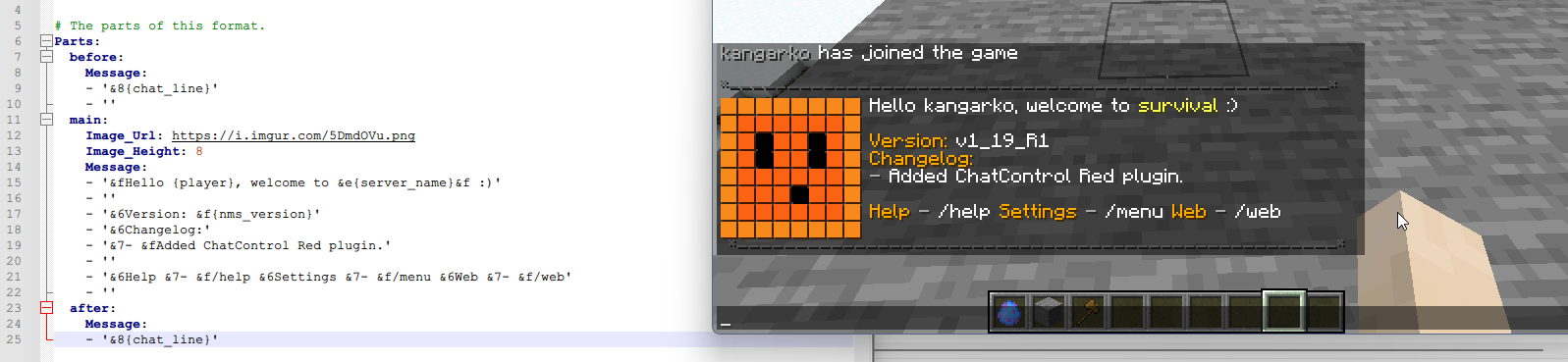
Image_File | Display image from ChatControl's images/ folder. Example: creeper-head.png |
Image_Head | Display player skin head. Examples: 'Herobrine', '{player}'. Blocking operation. |
Image_Url | Display image from URL. Examples: 'https://mywebsite.com/images/creeper.png', "https://mc-heads.net/avatar/{player_uuid}". Blocking operation. |
Image_Height | Image height in chat lines (min 8, default 8). Example: 15 |
Image_Type | Image render type: BLOCK, DARK_SHADE, MEDIUM_SHADE, LIGHT_SHADE |
Proxy | Set to false to skip this part when the formatted message is forwarded across the proxy. Use it for parts that contain per-receiver data (such as relational PlaceholderAPI placeholders) which cannot resolve on remote servers. Defaults to true. |
Image_File example:

Image_Type example (DARK_SHADE):
Example: Player Rank Prefixes
Use format parts with Sender_Permission instead of a separate prefix plugin:
    Rank_1:
      Message: "&c[Admin] "
      Sender_Permission: "my.rank.admin"
    Rank_2:
      Message: "&9[Mod] "
      Sender_Permission: "my.rank.mod"
    Rank_3:
      Message: "&6[Helper] "
      Sender_Permission: "my.rank.helper"
    The_Rest:
      Message: "&7{pl_prefix+}{player}&7: &f{message}"